Home / Comparables tool
Comparables checker for Mulebuy Spreadsheet finds
Enter a find and the listings you are comparing it with. The checker shows where the find sits and what that position usually means.
Reviewed October 20, 2026
Place a find among its comparables
All prices in yuan (CNY), each for the same size and color you would order. Three comparables is the minimum; eight is plenty. Nothing you type leaves your browser.
Using the checker in four moves
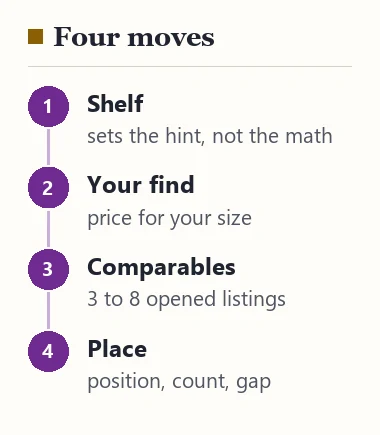
Here is how to use this tool without kidding yourself. First, choose the shelf. The checker uses it only to tell you what usually moves price on that shelf; the arithmetic is the same everywhere.
Second, type the price of your find for your size and color. Third, type the comparables, one price per box, each copied from a listing you have opened. Leave boxes empty rather than guessing. Fourth, press Place my find.
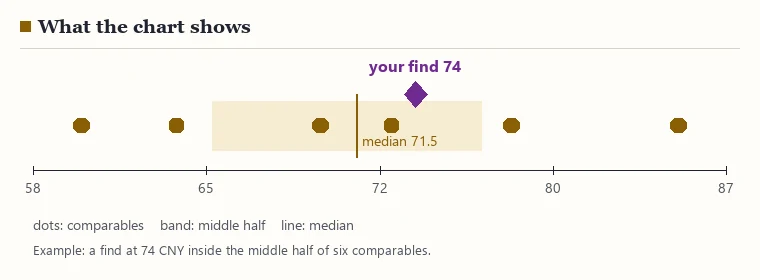
The result names one of five positions (below every comparable, in the lowest-priced quarter, inside the middle half, in the dearest quarter, above every comparable), counts how many comparables cost less, and gives the gap to the median in percent. Copy as a note puts a one-line summary on your clipboard, handy for pasting into an agent’s order remark or your own list.
The arithmetic behind the result
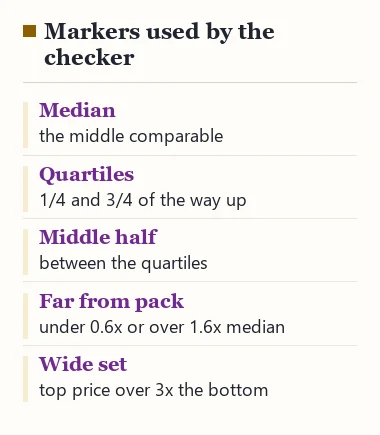
The checker sorts your comparables and finds the median, the middle value. It then finds the lower and upper quartiles: the prices a quarter and three quarters of the way up the sorted set, interpolating between neighbors when the set has an even count. The span between those two is the middle half.
Your find is placed against those markers. Two extra flags appear when they apply. Far from the pack shows when your find is under 0.6 or over 1.6 times the median. Wide set shows when the dearest comparable costs more than three times the lowest, which usually means the set mixes two kinds of item.
Those two thresholds are our own rule of thumb, chosen so the flags fire on clear outliers and stay quiet on ordinary spreads. They are not a standard, and you can ignore them.
What each position usually asks of you
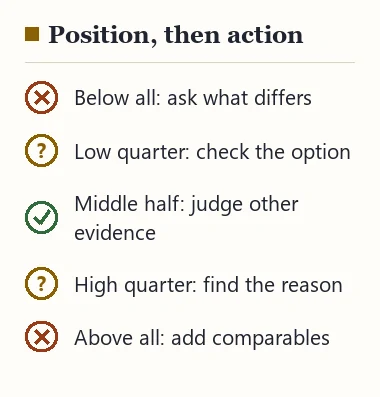
Below every comparable. Read the listing against the lowest-priced comparable line by line: size range, fabric or material line, what is in the package, whether the photos show the item or a generic shot. Then ask the seller, through your agent, what differs.
Lowest-priced quarter. Confirm that the price belongs to the option you want, and that the photo set is the seller’s own.
Middle half. Price is ordinary, so decide on other evidence: measurements, photo detail, answers from the seller.
Dearest quarter or above. Look for the reason in the listing, such as heavier fabric, extra pieces or a wider size range. If you cannot find one, a comparable may do the same job for less.
What the checker cannot tell you
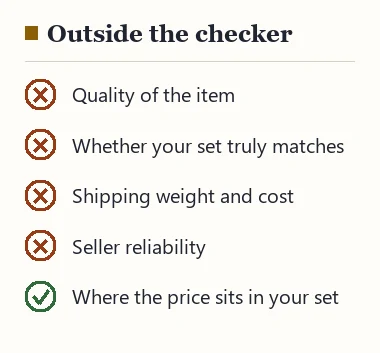
It cannot tell you whether an item is any good. Price is one signal among several, and a fair price on a poorly made item is still a poor buy. It cannot check that your comparables really are comparable; that part is yours, and the shelf notes exist to help with it.
It does not know shipping costs. Two hoodies at the same price can cost very different amounts to send if one is twice as heavy, so a find that wins on price may lose once the parcel is weighed. The shipping page covers that.
And it does not store anything. When you close the page, the numbers are gone. Use Copy as a note if you want to keep a result.